 StudyLock
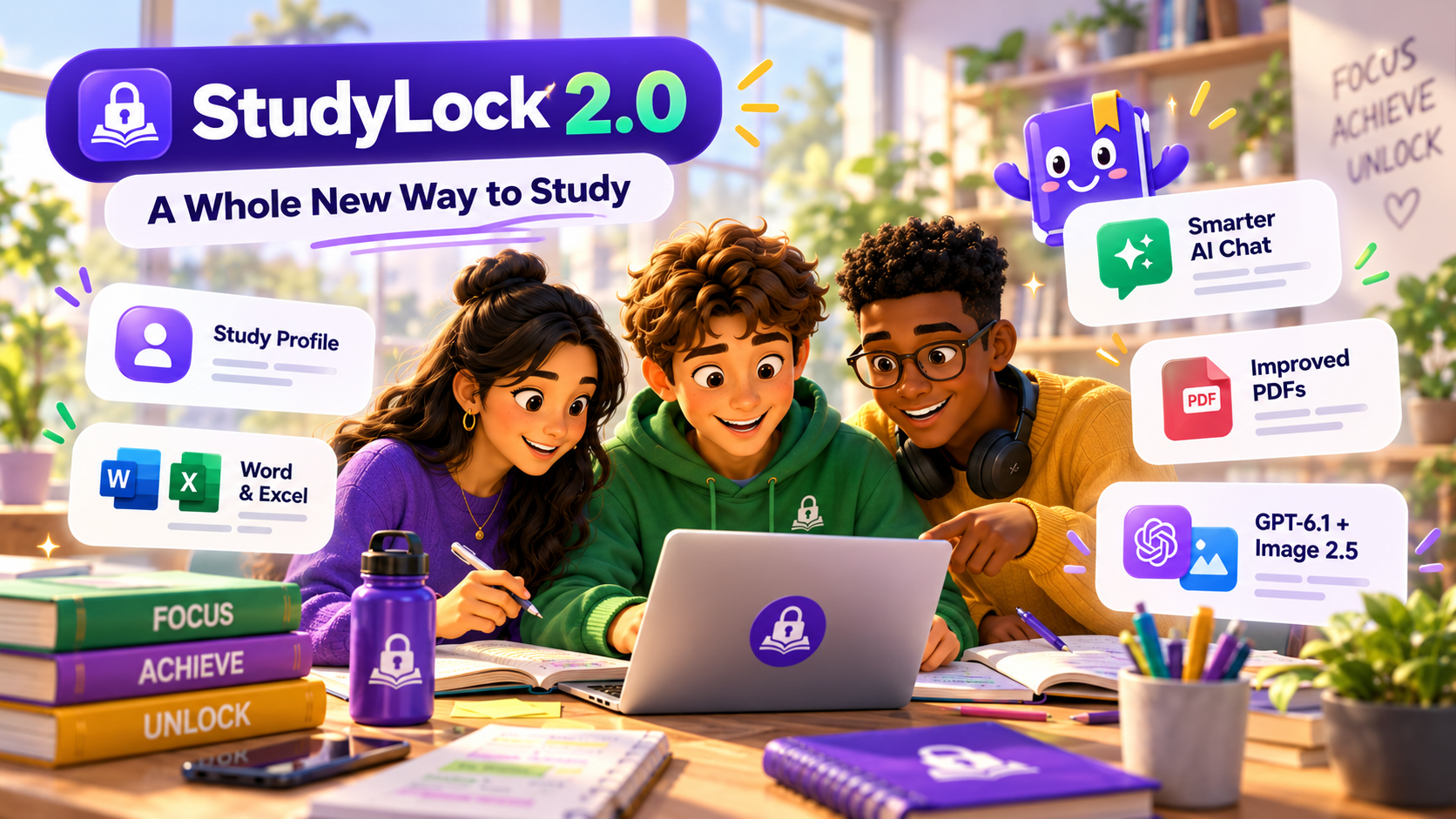
StudyLock 2.0 is here, and this is more than a fresh coat of paint. We've rethought the experience from the moment you open the app to the moment you finish studying. Sessions are faster to set up, your own materials are easier to work with, and the AI helping you learn can now do more with the documents you bring.
Since StudyLock first launched, our mission has been simple: help students turn time away from distracting apps into time spent learning something useful. StudyLock 2.0 brings that idea into sharper focus. We rebuilt the interface, simplified onboarding, expanded file support, upgraded our AI models, and redesigned how StudyLock handles PDFs and other study materials.
Our goal for 2.0: Less setup. Fewer distractions. More learning.
Meet Study Profile: set it once, then focus on learning
One of the biggest changes in StudyLock 2.0 starts before a study session even begins. Previously, starting a session meant walking through several setup screens to choose your study preferences again. That could become repetitive, especially if you studied every day.
With the new Study Profile, you make those choices once. StudyLock remembers your preferred study language, quiz passing goal, Focus Mode setting, and lesson visuals preference for future sessions. And if your preferences change, you can update your Study Profile in Settings.
Starting a new session is now much simpler: add your materials, review the session, and start learning. No need to go through the old multi-step setup each time. Your Study Profile handles the recurring choices so you can spend less time preparing to study and more time actually studying.
Word and Excel support is finally here
This was one of the features you asked us for most. Not everyone keeps their notes in a PDF or a photo. Class notes often live in Word documents, while tables, calculations, schedules, and structured information are frequently saved in spreadsheets.
With StudyLock 2.0, you can now import Microsoft Word and Excel documents as study materials. That means fewer extra steps to get your own content into StudyLock, and more flexibility to learn from the files you already use for school or university.
Whether you're reviewing written notes or studying information organized in a spreadsheet, the aim is the same: make your material the starting point for a focused Learn, Quiz, and Summary session.
Smarter AI Chat that can search your original documents
When you ask a question about something you've uploaded, the exact detail you're looking for might be buried several pages into a document. A prepared lesson or condensed analysis is useful, but it cannot always capture every detail from the original source.
StudyLock 2.0 introduces a major improvement to AI Chat: it can search across your original uploaded documents to find relevant information, rather than relying only on the content created during the initial analysis.
Need to revisit a particular definition? Want to ask about a section that received less attention in the lesson? Looking for something specific in a long file? You can ask the chat and explore your own material in greater depth, without needing to start your study session from scratch.
This is an important step toward the kind of study assistant we've wanted StudyLock to be: one that helps you understand your actual notes and documents, not just a generic topic.
A much better PDF experience, without the old 10-page selection limit
PDFs are a big part of how many students study, but our older PDF workflow had a limitation: you had to preselect up to 10 pages for a session. We heard your feedback, and we agreed that this wasn't the experience we wanted long-term.
In StudyLock 2.0, we've redesigned PDF handling and removed the old 10-page preselection step. StudyLock can now analyze your full PDF document instead of making you choose only a small section before you begin.
Combined with the new AI document search, that opens up a better way to study from longer files. Start with the overall material, then use AI Chat to ask follow-up questions about specific pages, sections, or details when you want to go deeper.
The result is a PDF experience that feels less like managing pages and more like studying from a document you already know.
Powered by GPT-6.1 and Image 2.5
We've also upgraded the AI behind StudyLock. Version 2.0 brings GPT-6.1 to our study experience and Image 2.5 to AI-generated study visuals.
These upgrades are designed to make the tools you use throughout a session more capable: clearer explanations in Learn, more useful follow-up conversations, stronger quiz generation, better summaries, and visuals that can help make difficult concepts easier to grasp.
Of course, AI-generated content still deserves a critical eye. Your original material remains central, and the improvements to document search and the in-app reporting experience are part of our ongoing effort to make AI study help more useful and dependable.
A completely redesigned StudyLock experience
StudyLock 2.0 looks and feels different from the moment you open it. We refreshed the home screen and rebuilt key interfaces throughout the app, including Learn, Quiz, Summary, Settings, Study Profile, and active study sessions.
The redesign isn't just about colors, cards, or illustrations. We wanted actions to be easier to understand, screens to feel more consistent, and the journey from starting a session to completing it to feel more natural. Important steps are clearer, the interface is more playful, and the experience is designed to keep the focus on learning.
StudyLock still follows the same idea you know: block the apps that distract you, learn from your own materials, pass a quiz, and review what you've learned. Version 2.0 makes that path easier to follow.
Smarter checks for uploaded study materials
Accidentally choosing an unrelated photo or an image without usable text shouldn't send you into a confusing study session. At the same time, legitimate notes and documents shouldn't be rejected just because they don't look like a conventional textbook page.
We've improved StudyLock's study material validation to better recognize unusable or unrelated uploads, including generic photos, while keeping the process practical for real text-based study materials. It's another behind-the-scenes improvement that makes the beginning of a session smoother.
A simpler welcome for new students
First impressions matter, especially for an app that combines learning tools with Screen Time controls. We redesigned the onboarding experience to explain what StudyLock does more clearly and reduce unnecessary steps before a first session.
New students can now get oriented, choose their preferences, connect Screen Time, and begin studying through a more straightforward introduction. Together with Study Profile, that means less configuration both when you first join and when you return for your next session.
Built with your feedback, improved for everyone
Not every improvement deserves a headline, but the smaller ones matter. StudyLock 2.0 also includes a long list of bug fixes, interface refinements, and adjustments inspired by the emails and reports you've sent us.
We've been reading your feedback about confusing flows, edge cases, upload problems, and the details that can make an otherwise good study session frustrating. Your messages have helped us decide where to focus, and they continue to shape what comes next.
A new chapter for StudyLock
StudyLock began with an unusual idea: instead of simply telling you to put your phone away, what if getting back to your favorite apps meant learning something first?
StudyLock 2.0 is our biggest step yet toward making that experience genuinely simple and useful. You bring the study materials. StudyLock helps make room to focus, understand them, test your knowledge, and remember what matters.
Thank you for supporting StudyLock, sharing your ideas, and helping us improve it one update at a time. We're building this with our community, and we're excited for you to try what comes next.
Welcome to StudyLock 2.0.
Less setup, smarter study tools, and fewer distractions. Your next focused session starts here.